★2 GB free forever
No AWS console needed
Onekey. Every file on.
One API call. A permanent CDN URL back instantly. No S3 setup, no IAM policies, no presigned URL plumbing. File storage built to get out of your way.
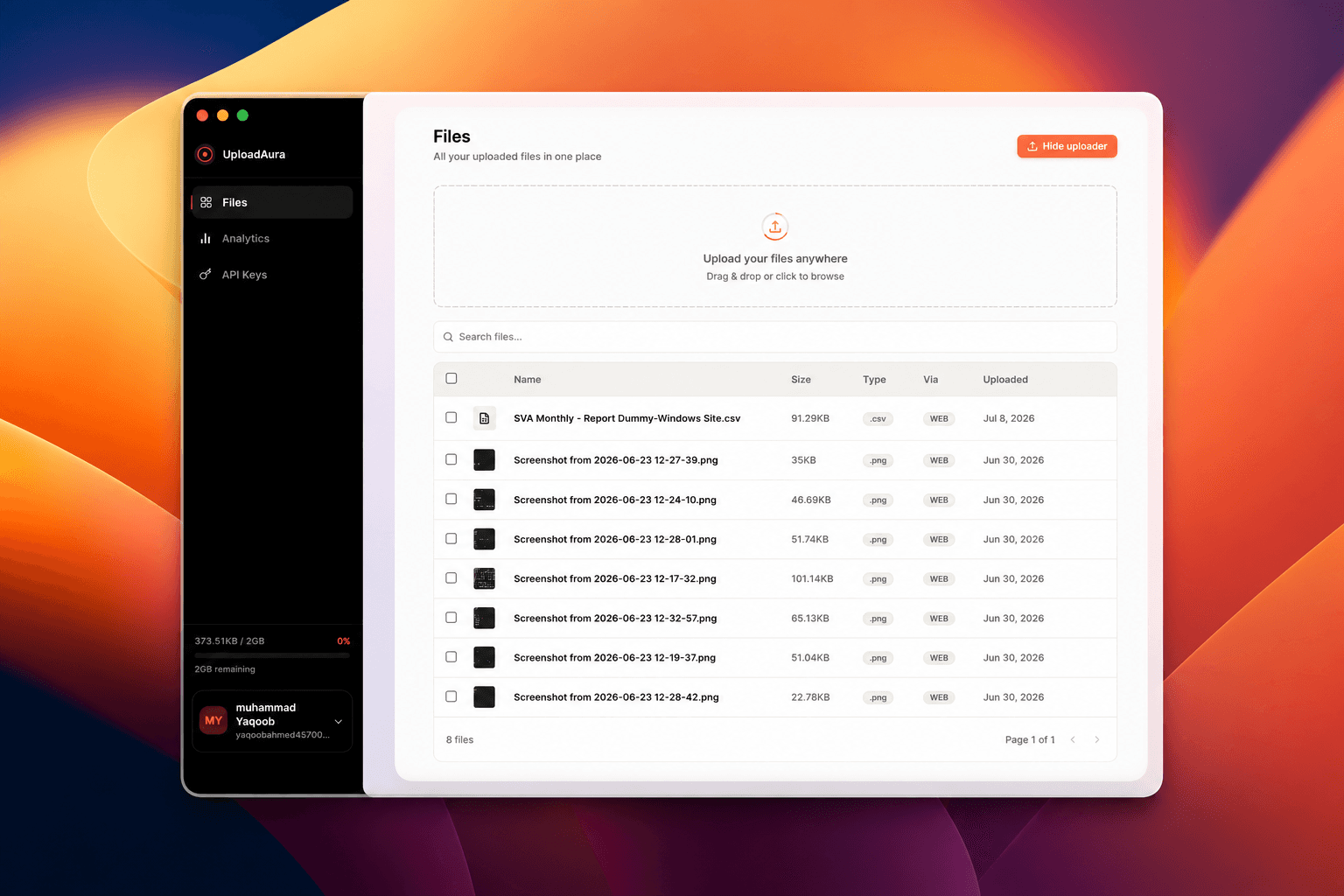
What ships
Everything, on one plan
A tight bundle of primitives so you never have to reach past Cargo for another service.
01 · STORAGE
2GB
Free forever · No card needed
Room to build
Unlimited files across the free tier, backed by S3. Nothing you upload is ever quietly deleted.
Typed clients, one shape
Same method names and response types across every language.
03 · API
One key, one endpoint
No route map to learn. POST once, get a permanent CDN URL back instantly.
04
Instant URLs
Every file gets a permanent link the moment it lands.
FILE
cdn/…
05
Live analytics
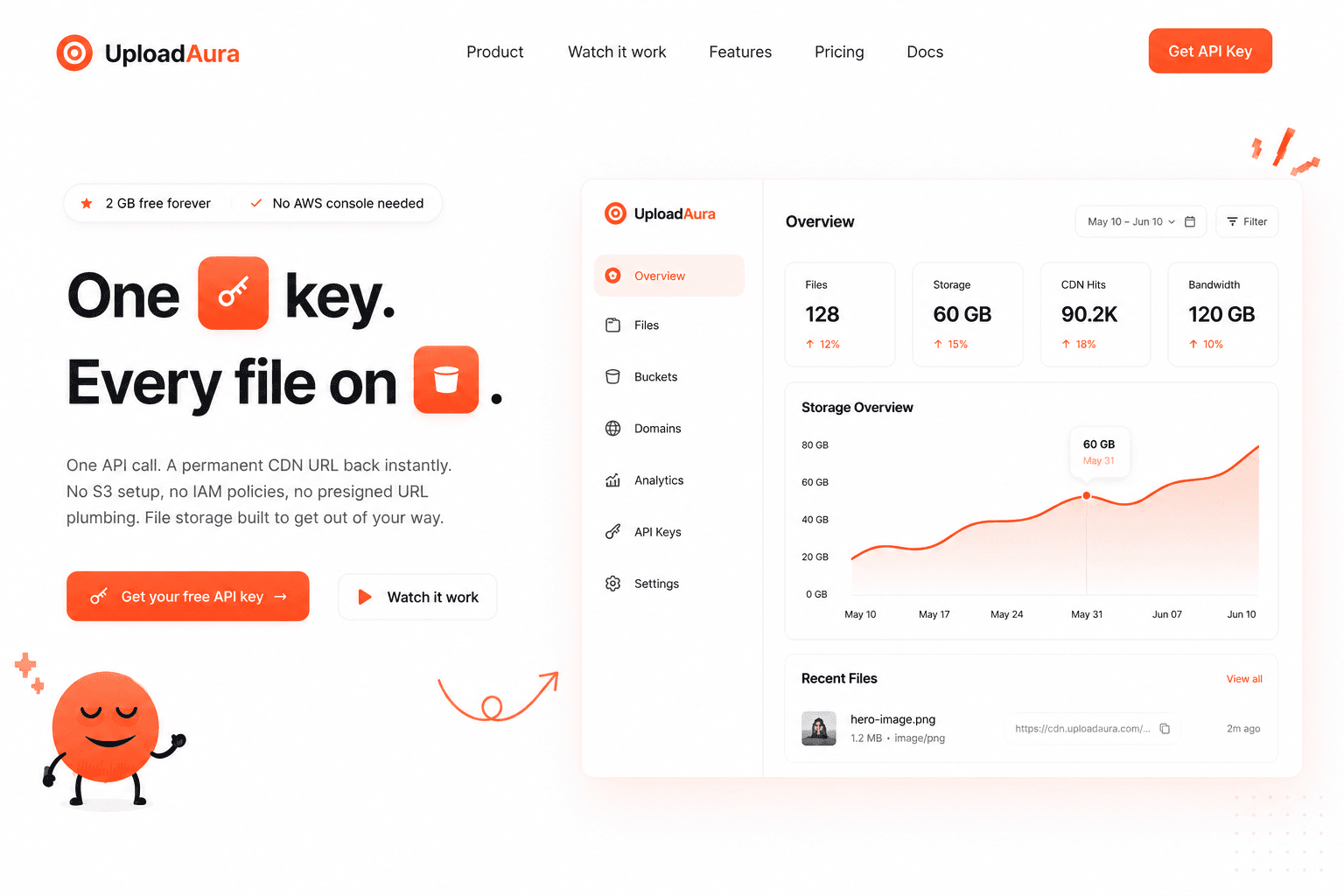
Storage and usage update as files move — no second dashboard.
MONSUN
06
Private by choice
Flip files or folders to private and issue signed links.
Watch it work
One upload, start to URL
Drop a file in, and Cargo handles the rest — storage, indexing, and a public link, in one pass.
- No bucket setup before your first call
- No pre-signed URLs to generate by hand
- Works the same from a script or a browser
CARGO — LIVE UPLOAD
Questions
Before you start
A wrapper. Your files live in your own S3 bucket — Cargo just gives you one API and SDK instead of raw AWS calls, IAM policies, and bucket configuration.
No. Cargo provisions and manages the underlying bucket for you, so you never have to open the AWS console, create IAM users, or touch bucket settings.
You can upload files up to 50 MB each through the standard endpoint. Larger files are split into parts automatically by the SDK and reassembled on the server.
Yes. The Node SDK is written in TypeScript with full type definitions shipped in the package, so you get autocomplete and compile-time checks out of the box.
Node, Python, and Go today, with the same method names and response shapes across all three. A REST endpoint sits underneath, so any language can call it directly.
Yes — every file defaults to a public URL, but you can flip a file or an entire folder to private and issue short-lived signed links instead.
Forever, as long as your account is active. We never expire or garbage-collect stored files, and public URLs keep working indefinitely unless you explicitly delete the object.
Nothing extra. Files are stored in the bucket tied to your account and served back exactly as uploaded. We never train on, scan the contents of, or resell your files. See our Privacy & Policy for the full breakdown.